




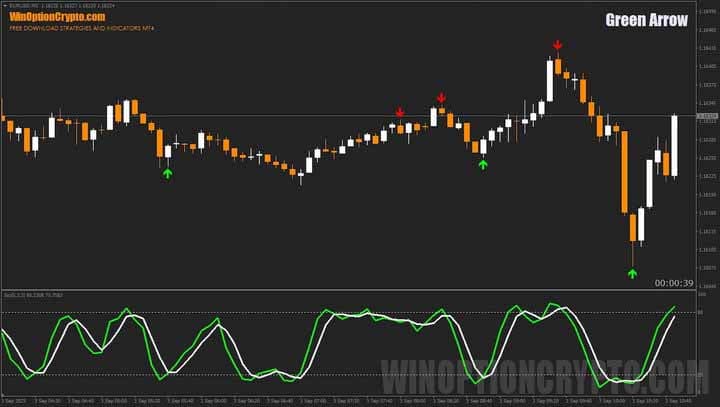
The Green Arrow binary options strategy combines precise signals without repainting and a simple yet effective filter – the Stochastic Oscillator. When paired with the arrow indicator, the system generates a variety of trading signals. This review explains how to use it in real binary options trading.
Content:
- Characteristics
- Installation
- Overview and settings
- Green Arrow Trading Rules
- Specifics of application
- Conclusion
- Download Green Arrow
Green Arrow Binary Options Strategy Features
- Terminal: MetaTrader 4
- Timeframe: M5
- Expiration: 2 candles
- Option Types: Call/Put
- Built-in indicators: Green arrow (NON REPAINT).ex4, Stochastic.ex4, Candle Time.ex4
- Trading instruments: currency pairs, commodities, cryptocurrencies, stocks
- Trading hours: 8:00 - 20:00 (GMT+2)
- Recommended brokers: Quotex, Pocket Option, Alpari, Binarium
Setting Up the Green Arrow Binary Options Strategy
Green Arrow strategy indicators are installed in MetaTrader 4 using the standard method. First, open the terminal and select "File" → "Open Data Folder" from the top menu. In the window that appears, navigate to the MQL4 → Indicators folder and copy all indicator files there.
If the package contains templates, they need to be moved to the templates folder in the root directory of the terminal.
After this, restart the platform for the new indicators and templates to appear in the list. For more detailed instructions, watch our video:
Green Arrow Binary Options Strategy Review and Settings
The Green Arrow strategy includes three indicators: Green arrow (NON REPAINT).ex4, Stochastic.ex4, and Candle Time.ex4. Each performs its own role in the system, but the Green Arrow is key. It generates arrow-shaped signals for opening trades.
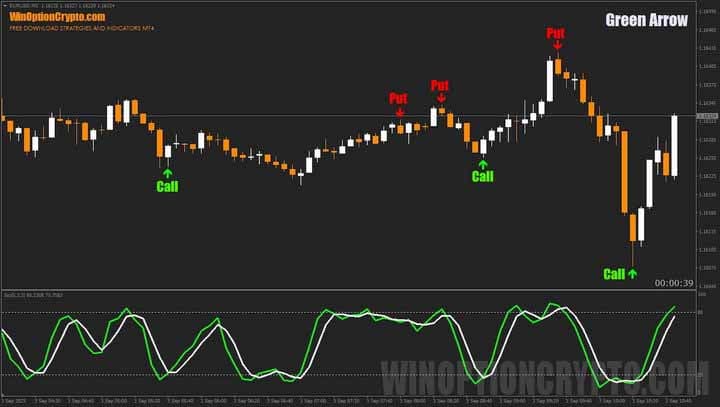
Green arrows below the candlestick indicate buying call options, while red arrows above the candlestick indicate buying put options. However, not all signals are profitable. To improve their quality, the Stochastic Oscillator has been added to the Green Arrow strategy. It is recommended to use only those signals that match its readings.
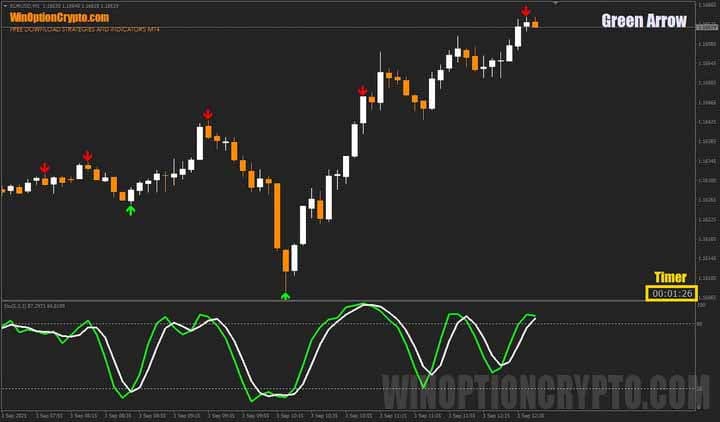
Another important element of the strategy is the Candle Time timer. It shows how much time remains until the current candle expires, helping traders choose the right expiration time.
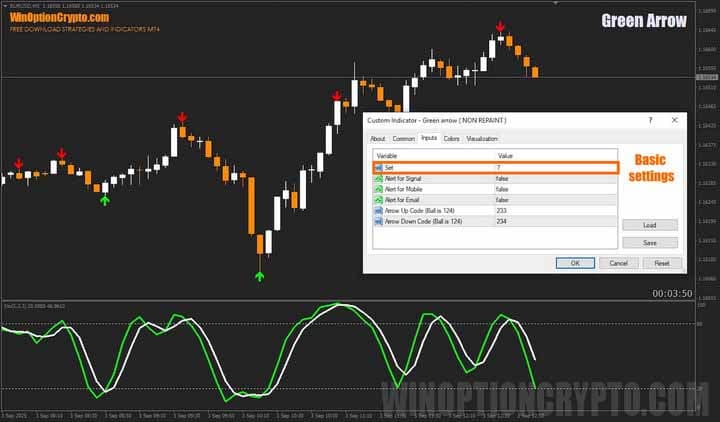
Let's move on to the main strategy settings. The Green Arrow indicator's signals are determined by the Set parameter — its key setting. Optimal values range from 5 to 10.
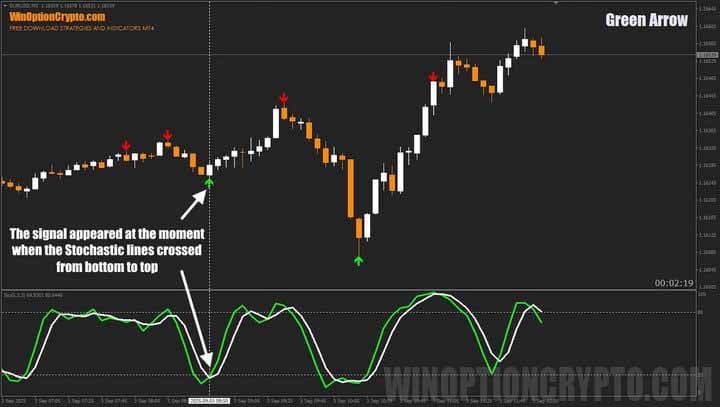
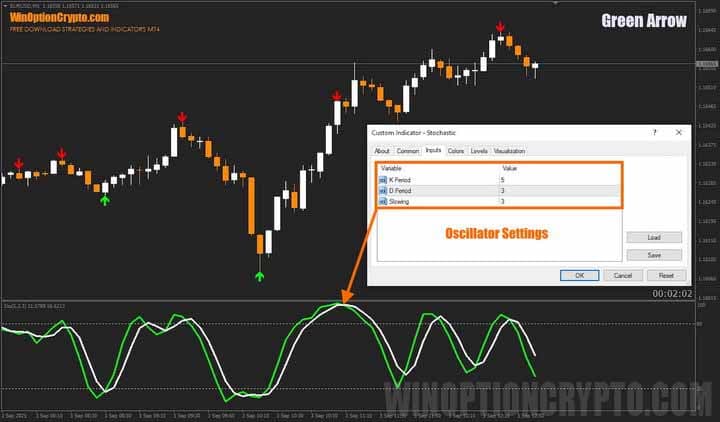
The Stochastic Oscillator's parameters remain standard: 5-3-3. Its purpose is to show the direction of price momentum. A signal is generated when the fast %K line crosses the slow %D line. If the crossover occurs in the overbought (above 80%) or oversold (below 20%) zone, this further strengthens the trading signal.
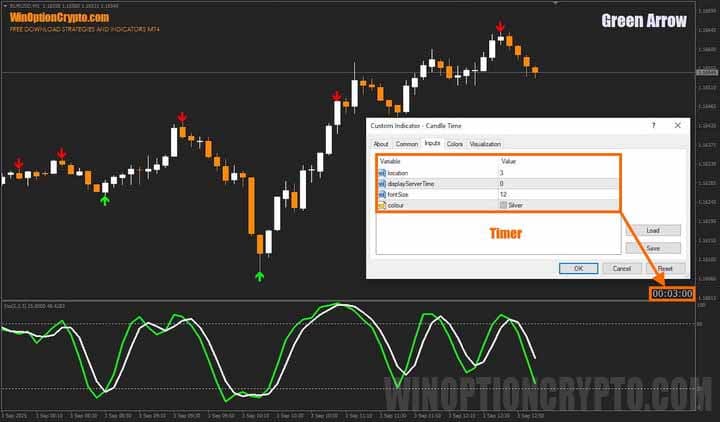
The final element of the Green Arrow strategy is a timer that displays the time remaining until the current candle closes. In the settings, you can choose its location on the screen, enable or disable the display of the broker's server time, and set its size and color.
If you'd like to learn more about signal indicators and how to use them correctly in binary options trading, check out our collection of articles on this topic:
It contains a lot of useful materials that will help you better understand the techniques and improve your skills.
Green Arrow Trading Rules
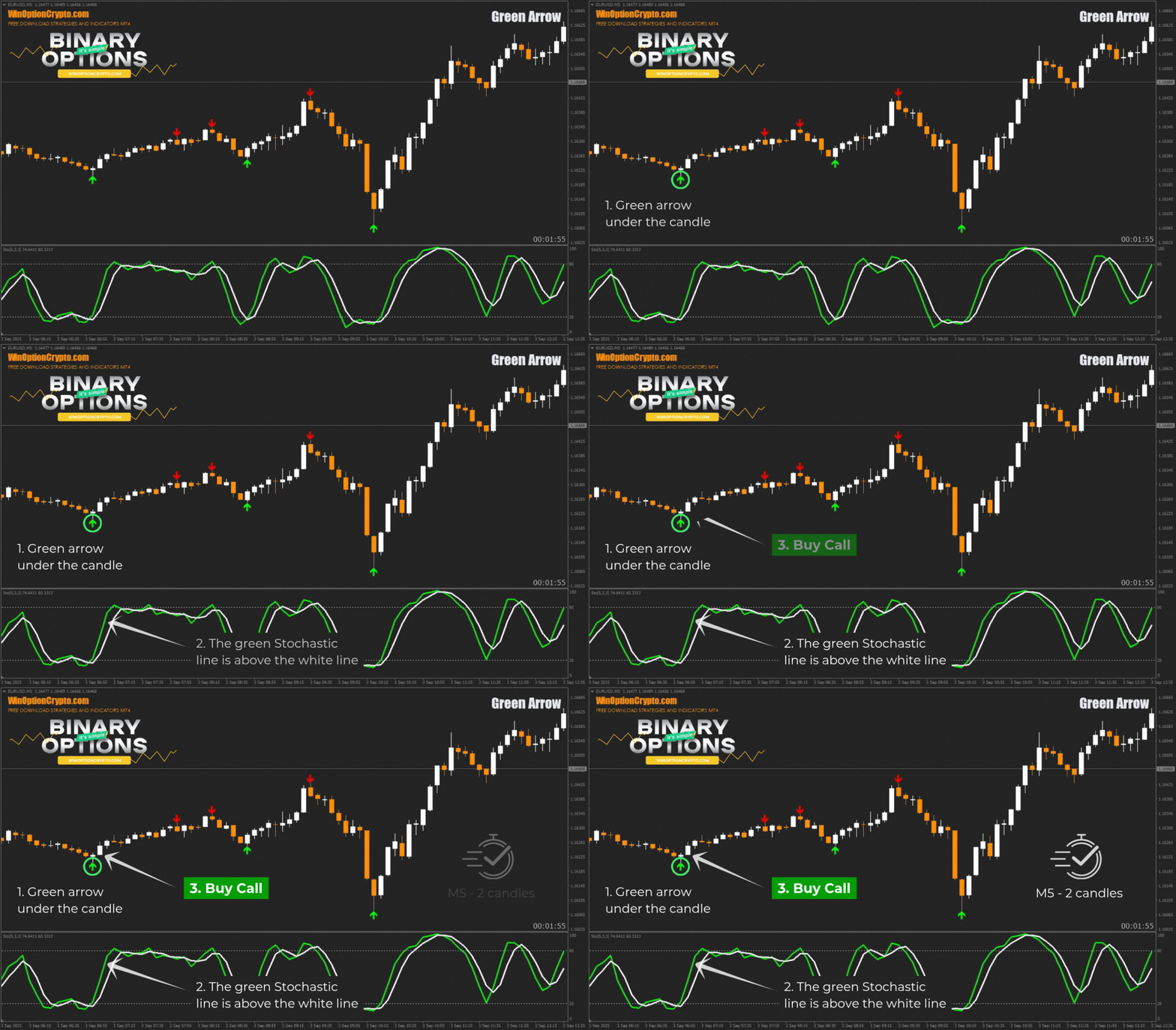
To trade using this strategy, a trader must wait for a signal from the arrow indicator and confirmation from the oscillator at the bottom of the chart, and then open a trade in the indicated direction.
Opening a Call Option
- A green arrow appeared under the candle.
- The green line of the Stochastic oscillator is above the white line.
- At the opening of a new candle, we buy a Call option.
Opening a Put Option
- A red arrow appeared above the candle.
- The green line of the Stochastic oscillator is below the white line.
- At the opening of a new candle, we buy a Put option.
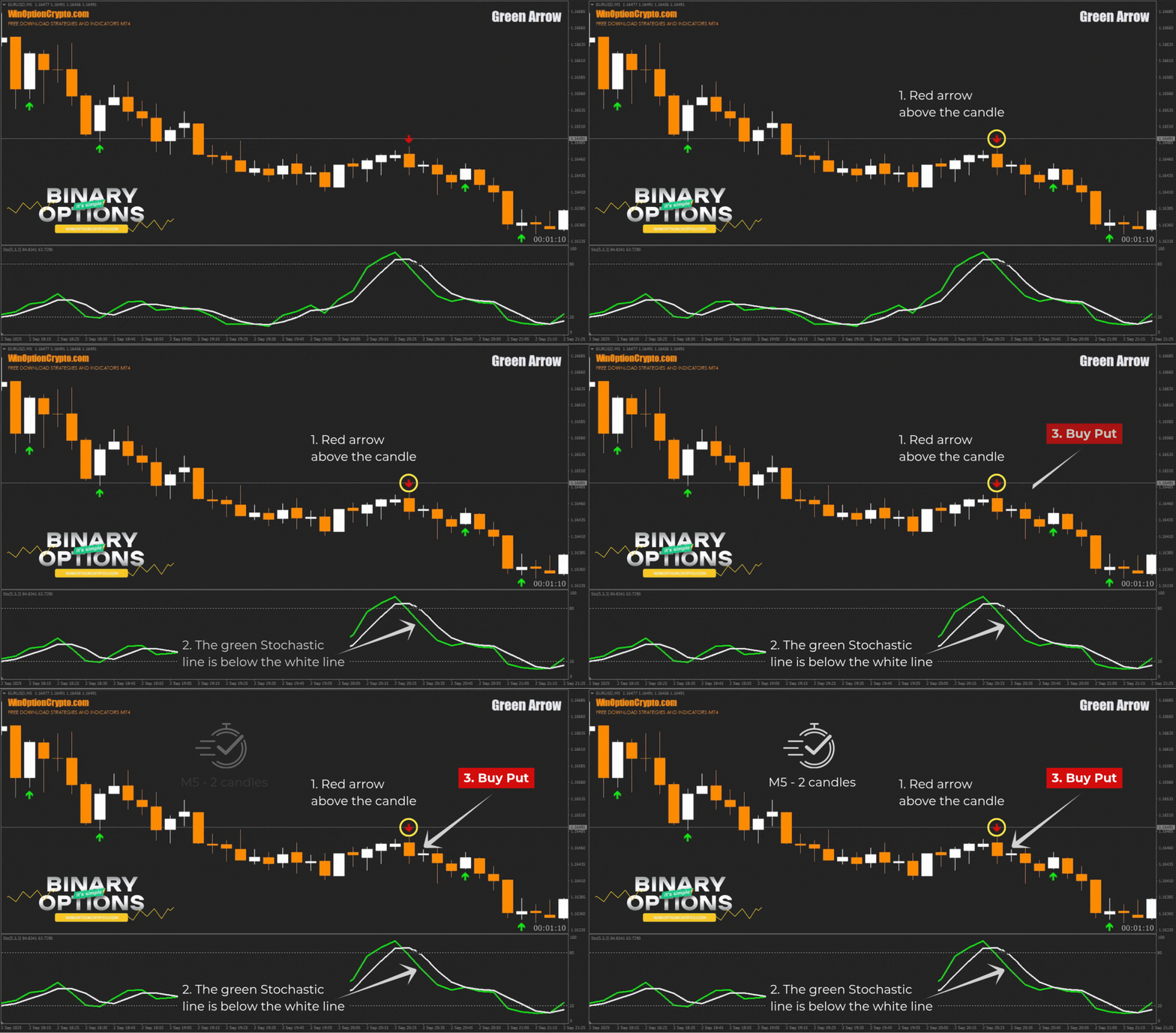
We recommend setting the expiration time to two candles. However, the optimal holding period depends on the specific asset and should be determined by you based on historical data testing results. This approach will help tailor the strategy to the specifics of the chosen instrument and improve its effectiveness.
Specifics of Using the Green Arrow Binary Options Strategy
Overall, the Green Arrow is little different from other arrow indicators, but it has its own unique feature: a signal filter. A simple oscillator at the bottom of the screen helps traders avoid losing trades and enter the market at the beginning of a new price impulse.
Advantages of the Green Arrow Strategy
The strategy's advantages include the simplicity and clarity of its trading signals. Simply wait for the arrows to appear and compare their direction with the oscillator's readings. If the signals match, you can open a trade.
Disadvantages of the Green Arrow Strategy
Among the system's shortcomings are false reversal signals during a strong trend. When the market is clearly bullish or bearish, trades should not be opened against the main trend. For more information on how to determine the market phase, read the article "Defining and Using Bullish and Bearish Trends."
Conclusion
The Green Arrow binary options strategy generates multiple trading signals without redrawing. A built-in filter helps filter out false signals, increasing reliability and trading efficiency.
Before using this strategy in real binary options trading, we recommend testing it on a demo account with a reliable broker. Remember to follow risk and money management rules. Happy trading!
Download Green Arrow

To leave a comment, you must register or log in to your account.