




Recently, more and more binary options traders are switching to tablets and smartphones, as the internet era allows access to the web from virtually anywhere. With the necessary mobile app on your personal device, you can trade binary options from anywhere, as long as you have internet access and the global markets are open. And the mobile app from broker Binarium is ideal for this.
Content:
- How to trade binary options on Binarium from your phone?
- Binarium 2026 Mobile App Review
- Assets and technical analysis in Binarium Mobile
- Your First Trade in the Binarium App: A Step-by-Step Guide for Beginners
- Fast deposits and withdrawals on Binarium Mobile
- Conclusion
How to trade binary options on Binarium from your phone?
A mobile app for binary options trading allows you to start earning money through trading even while away from home, such as on your way to work or at the office.
The Binarium broker's mobile app is currently only available on Android devices. To start trading with this app, download it from the Play Market and install it on your smartphone or tablet.
Next, if you already have an account, all you need to do is log in and start trading. If you don't have an account yet, you can register one directly in the Binarium mobile app:
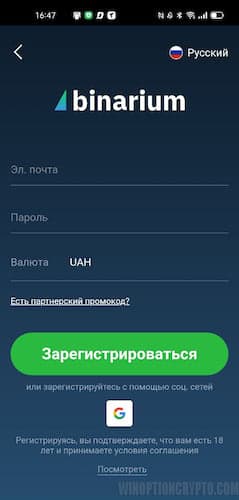
When opening an account through the app, you will need to provide your email address, password, and trading account currency:
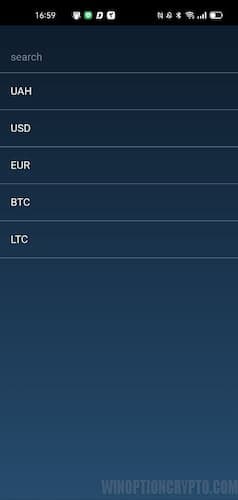
Binarium broker offers a wide range of currencies for opening an account, and you can choose from:
- Ukrainian hryvnia (UAH);
- US Dollar (USD);
- Euro (EUR);
- Bitcoin (BTC);
- Litecoin (LTC).
You can also register using the Google+ social network. To do this, click the social network icon and confirm the data transfer.
Binarium 2026 Mobile App Review
The mobile app is no different from the broker's standard web terminal. The functionality is absolutely identical, only it runs on Android.
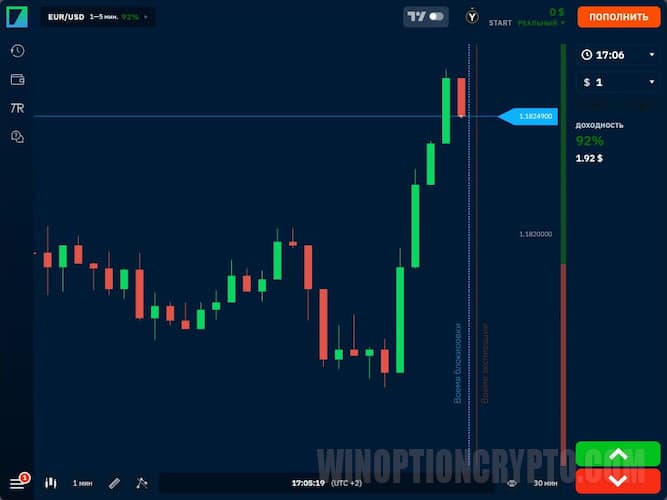
The standard interface, which has long been familiar to the company's clients, makes trading with the mobile app convenient, as everything remains in its place.
All registered clients have a demo account , which allows them to try out the Binarium broker mobile app and get used to trading from their phone. Trading from a demo account is fully functional, and anyone can try out any type of binary options and any trading asset.
The following features are available to mobile app users:
- Switch from a demo account to a real one in one click;
- Full-fledged binary options trading;
- History of trade;
- TradingView Charts;
- Trading room (for real account holders only);
- Deposit and withdrawal of funds;
- Online support chat.
Assets and technical analysis in Binarium Mobile
The Binarium broker's mobile app not only allows for comprehensive technical market analysis but also full-fledged binary options trading. It includes:
- technical indicators;
- graphic tools;
- trading assets;
- various types of options and expirations;
- the possibility of making transactions;
- the ability to deposit and withdraw funds.
Let's take a closer look at the main features of this platform.
Technical indicators and graphical tools
One of the advantages of the Binarium mobile app is the availability of graphical analysis tools and indicators that allow for comprehensive technical analysis:
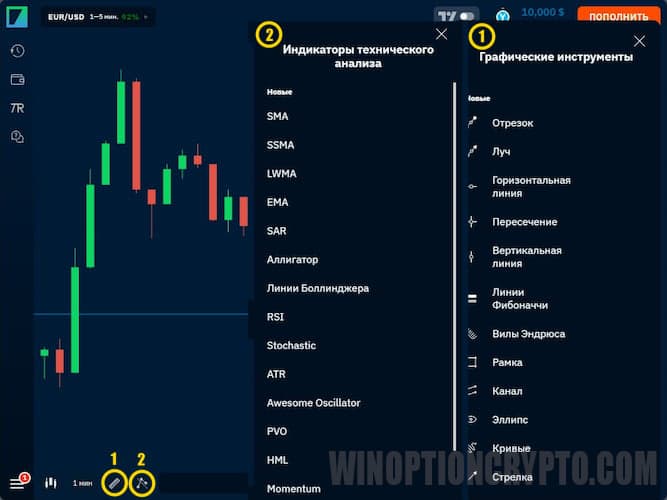
There are as many as ten indicators in the application:
- SMA ;
- SSMA;
- LWMA;
- EMA;
- Parabolic SAR;
- Alligator ;
- Bollinger Bands ;
- RSI ;
- Stochastic Oscillator ;
- ATR.
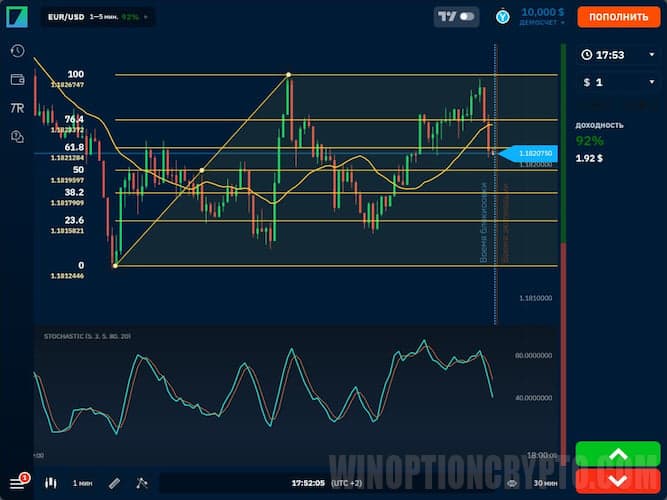
With such an arsenal of tools at your disposal in the app, you can conduct high-quality technical analysis at any convenient time, especially since many traders actively use a wide variety of indicators in their trading:
Additionally, the Binarium mobile app offers charts from the popular technical analysis platform, TradingView. To activate them, move the slider next to the TradingView logo, located next to your profile icon, to the right.
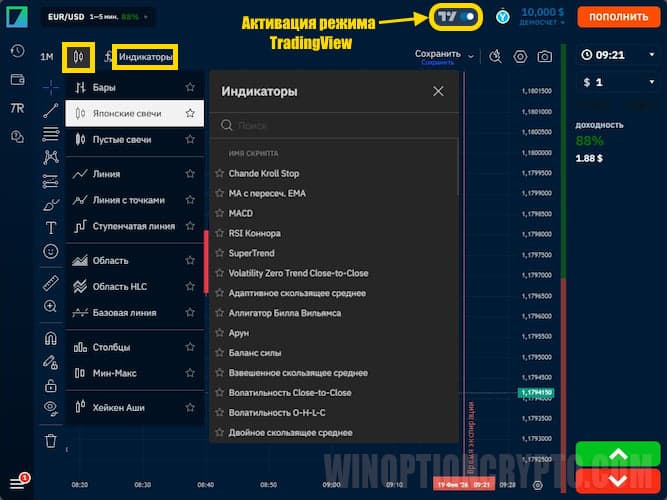
This mode provides advanced settings for displaying charts, indicators, and graphical analysis tools.
Trading assets, types of options and expiration
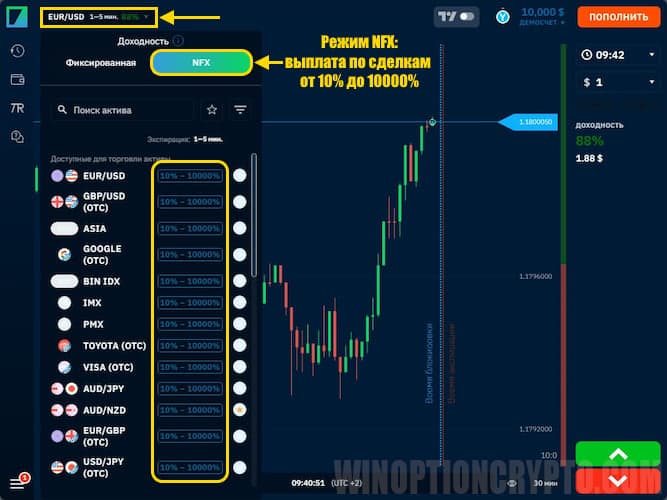
In the application, you can select the desired trading asset and binary option type by clicking on the instrument name in the upper left corner:
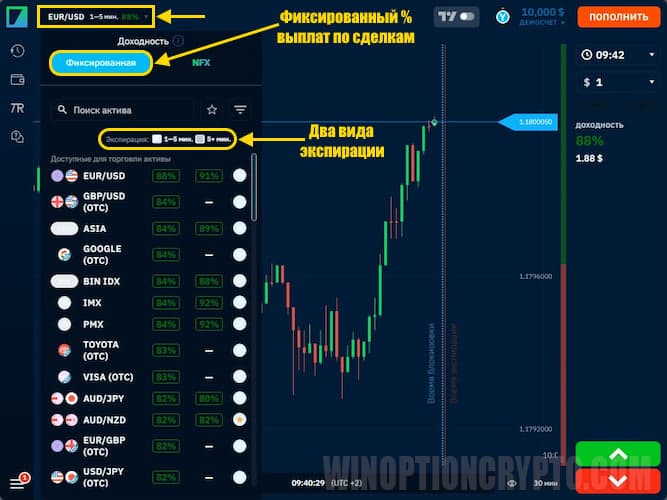
Binary options trading is offered in two modes: with a fixed payout rate of up to 92% and NFX mode, in which the payout percentage depends on market volatility and can range from 10% to 10,000%. Two types of binary options are also available: with expiration times of 1 to 5 minutes and with expiration times longer than 5 minutes.
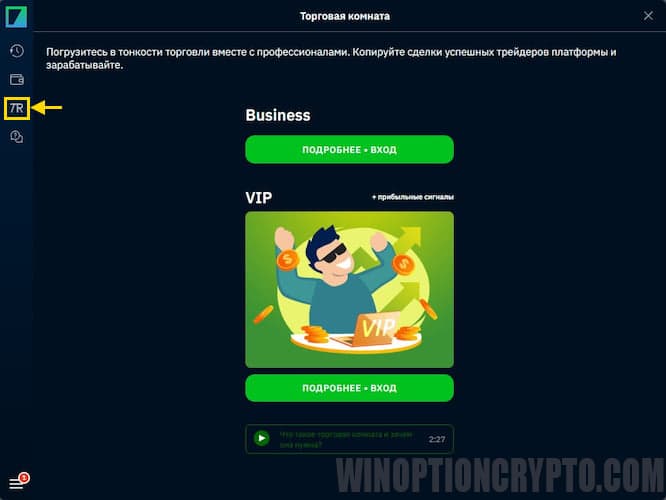
In the trading room, you can copy the trades of successful traders and earn money alongside them.
Your First Trade in the Binarium App: A Step-by-Step Guide for Beginners
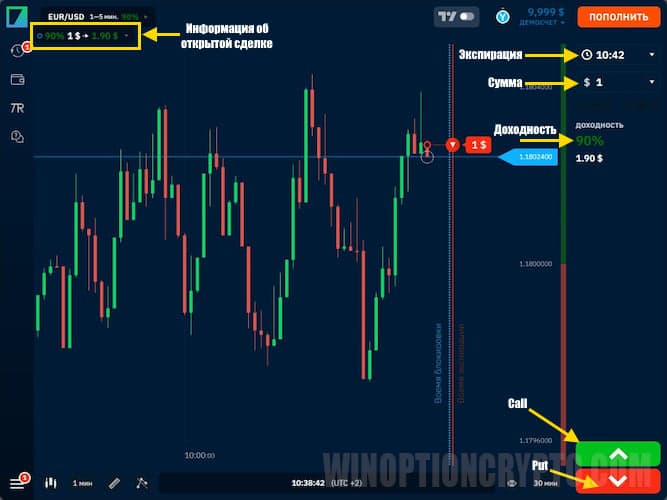
The Binarium mobile app has everything you need for comfortable binary options trading. To open a trade, you need to:
- Select a trading asset;
- Select expiration time;
- Select option type;
- Specify the transaction amount;
- Open a Call (Higher) or Put (Lower) option.
Fast deposits and withdrawals on Binarium Mobile
You can access your real account in just one click, and top it up just as easily right in the mobile app by clicking the appropriate button.
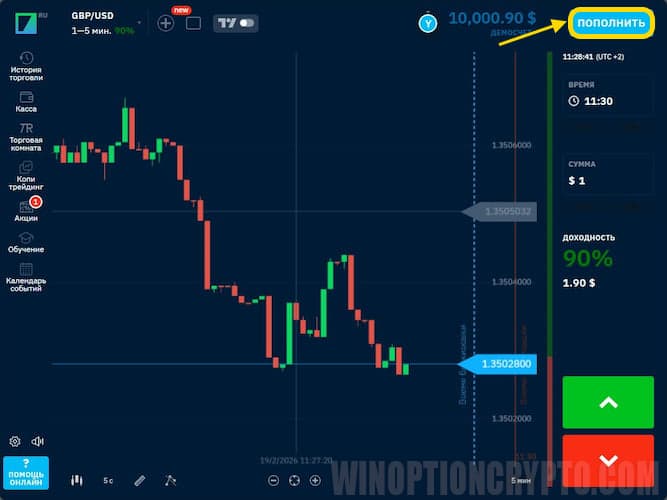
A window for depositing funds will then open. You can also submit a withdrawal request in this window.
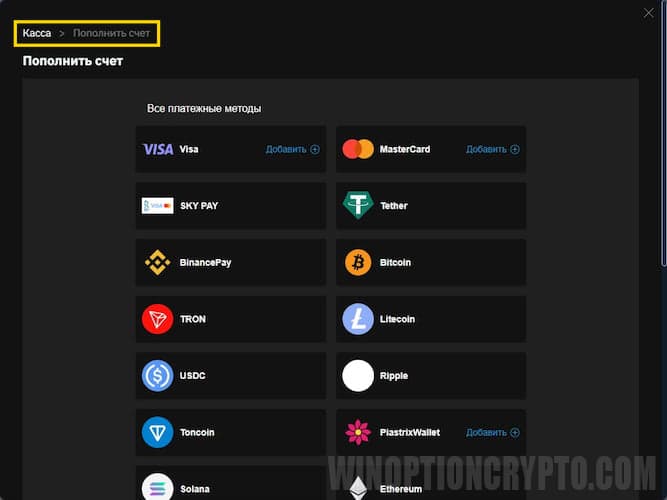
Please note: funds can only be withdrawn after verifying your personal information, and only to the same payment system you used to fund your account.
Conclusion
Today, anyone can start making money from the comfort of their home, working on their computer. But for those who can't be in one place all the time, the broker Binarium has created a mobile app for binary options trading.
This app keeps you up-to-date on all events happening in the financial markets, as it only requires internet access, which is now available almost everywhere.
However, remember that trading on the markets carries risks. Test strategies, indicators, and your own ideas on demo accounts before moving on to live trading. Good luck with your trading!

To leave a comment, you must register or log in to your account.