




To start trading, the first step is choosing a reliable broker — whether in Forex or binary options. The first step is always the same: registering on the website. In this article, we explain the step-by-step process of registering and opening an account on the Binarium binary options platform.

Content:
- What you need to know before registering on the official Binarium website
- Register on the Binarium platform: start trading in 5 minutes
- How to save time? Quick registration on Binarium via social media
- Registering in the Binarium mobile app
- What's inside? A full overview of the Binarium personal account after logging in.
- How to top up your account and withdraw profits?
- Conclusion
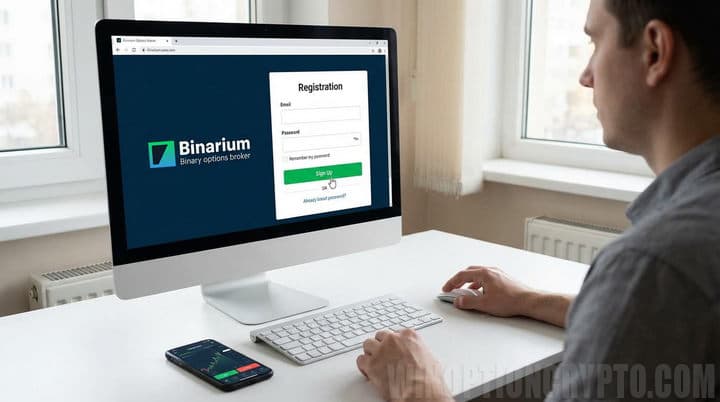
What You Need to Know Before Registering on the Official Binarium Website
Access to trading on the Binarium platform may be restricted for residents of the following countries:
- USA;
- EU;
- DPRK and a number of other states.
According to Binarium's general terms and conditions, each client can only have one account. This means that traders cannot create multiple accounts under their own name. If you lose access, you will need to contact support. If multiple accounts are created in violation of the terms, the broker may suspend them and restrict withdrawal access until the issue is resolved. If you find yourself in this situation, please contact support, who will offer you the option to maintain one account for permanent use.
Before registering on the Binarium website and funding your account, it's important to read the user agreement. This will help you avoid any problems in the future.
Register on the Binarium Platform: Start Trading in 5 Minutes
Binarium has been operating in the online trading market since 2012. To take advantage of the company's opportunities, you must register on the official website. This process takes a short time, but there are some nuances you should be aware of.
For example, the registration procedure on the official Binarium website is available to all users without exception, but only adults can open an account and conduct trading operations.
The process of registering a new account with this broker is very simple. To do this, open the official Binarium website and click the “Registration” button on the main page:
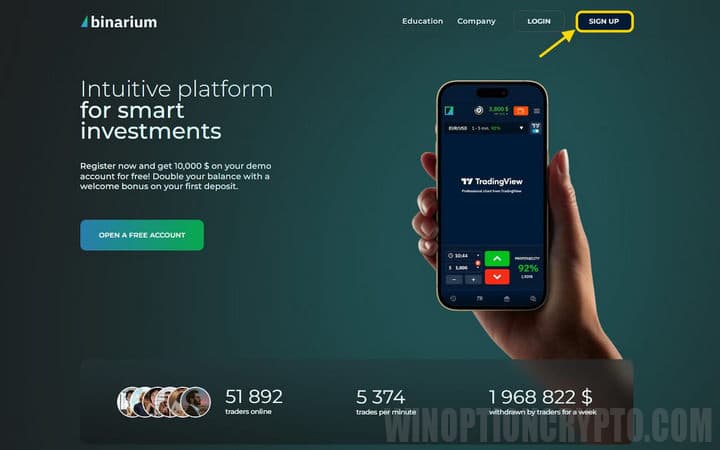
In the window that opens, enter:
- The email address to which your account will be linked.
- Strong password.
- Account currency.
When registering with the Binarium broker, you can choose your trading account currency from the following list:
- Ukrainian hryvnia;
- US Dollar;
- Euro;
- Bitcoin;
- Litecoin.
It is generally recommended to select the currency you use in everyday life. This means traders from Ukraine should use the hryvnia, EU citizens should use the euro, and so on. This will save you on conversion fees. However, you can choose any currency you wish.
If you have any questions about registering with Binarium or the terms of cooperation, we recommend reviewing the user agreement. You can access it by clicking the link of the same name at the bottom of the screen:
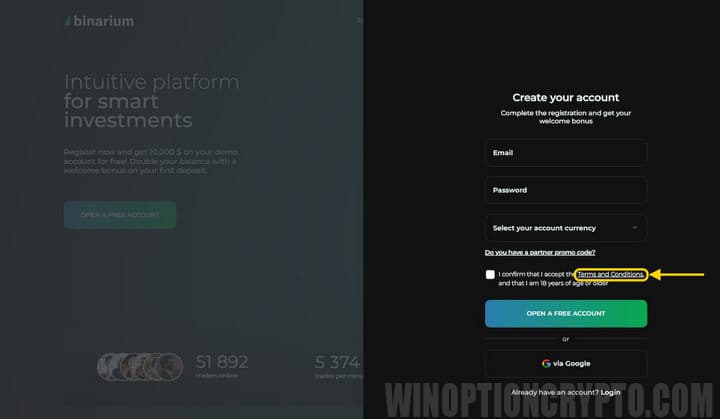
After you have read the “User Agreement,” click the “Open a free account” button and confirm the email address you provided by clicking the corresponding link in the email.
How to Save Time? Quick Registration on Binarium via Social Media
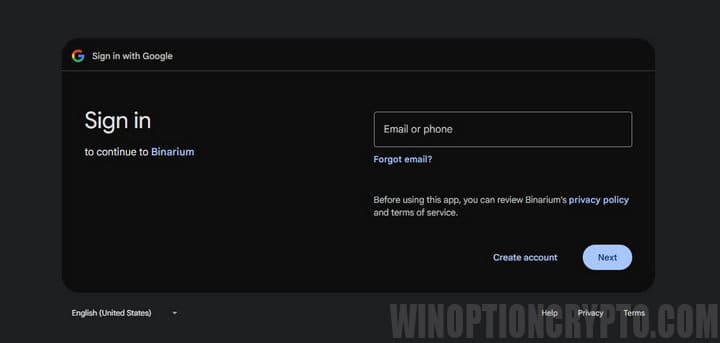
You can speed up registration on the Binarium platform by signing in with your Google account. However, this option should only be used if your profile information is accurate. The system automatically transfers this information to your trading account profile.
It's important to accurately indicate your full name, date of birth, and city of residence on your social media profile. If there's a discrepancy between your social media information and the information in your passport, the company reserves the right to suspend your account until the information is clarified. This means traders will be unable to withdraw funds from their deposit if it's replenished.
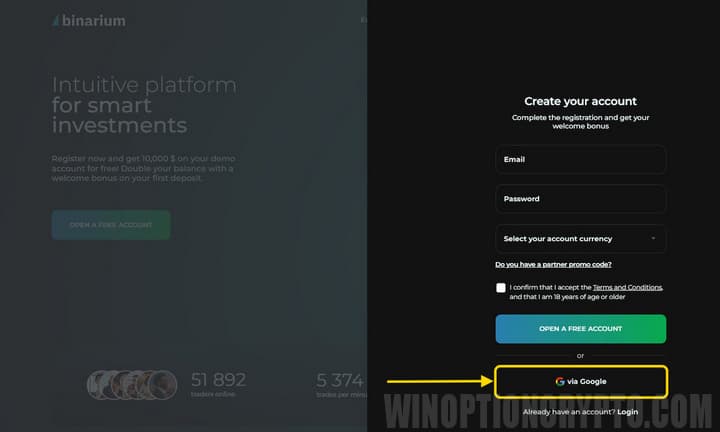
You may be asked to enter your social media account credentials. The Binarium platform will then request confirmation to use your personal data. After confirming consent, you will be redirected to your personal account and can proceed with the necessary transactions available on the brokerage platform.
Registering in the Binarium Mobile App
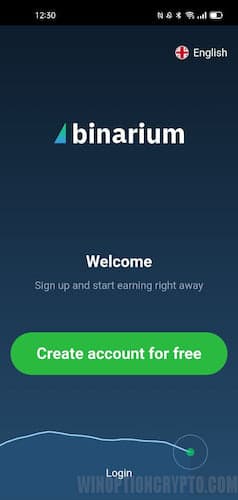
Binary options trading on the Binarium platform is available to Android smartphone owners. The Binarium mobile app offers similar functionality to the browser app. Therefore, you can also register a new account through the mobile app.
What's Inside? A Full Overview of the Binarium Personal Account After Logging In
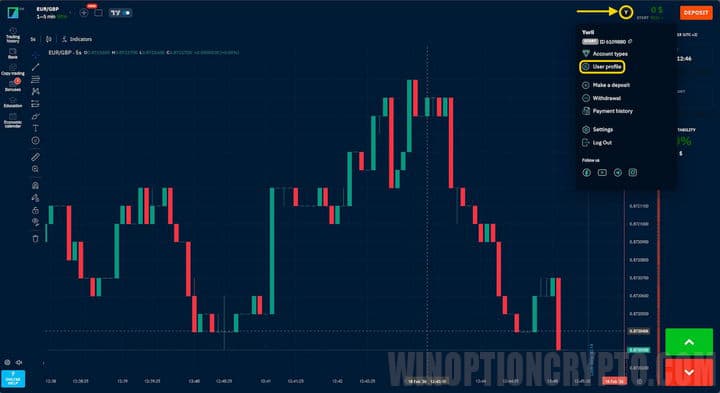
Once registration is complete, the trading terminal workspace will load. To access your personal account, click the user menu in the upper right corner of the screen and select "Profile."
The new window contains several tabs with account settings. The first allows you to change your personal information and link additional social media accounts. This is done to simplify access to the trading platform:
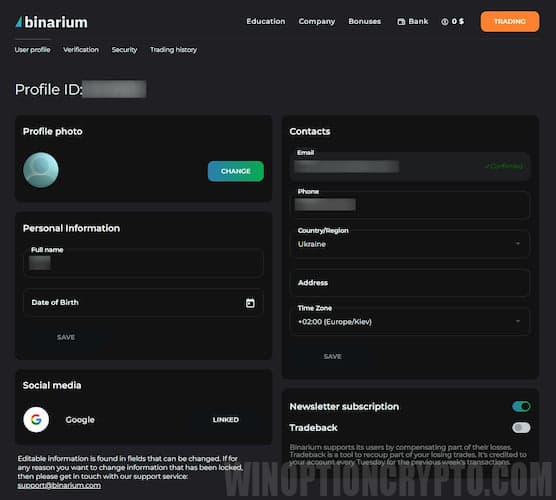
In the contacts section you can specify:
- phone number;
- the time zone in which the trader resides;
- residential address.
The "Trade History" section opens a list of previously completed transactions, which can be modified by setting the appropriate time intervals.
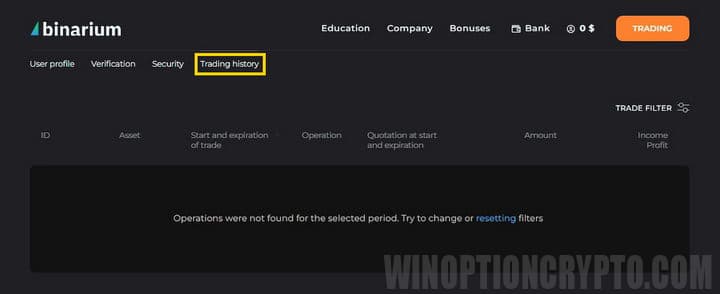
The remaining sections contain:
- educational materials;
- company information;
- interface for replenishing a deposit and more.

To start trading binary options, simply click the button of the same name. This will open the trading platform with two account types, which you can switch between with a single click.
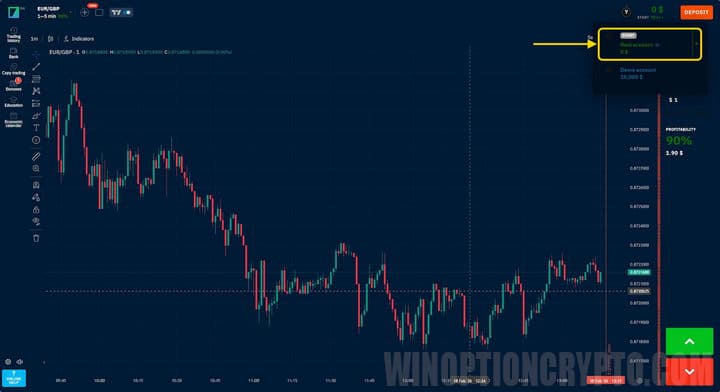
This broker's terminal boasts advanced functionality. Traders have access to several types of basic indicators (Stochastic, RSI, moving averages, and others), chart analysis tools (Fibonacci levels, etc.), four types of price charts (bars, lines, candlesticks, and area charts), and a variety of timeframes (from 5 seconds to 12 hours).
To gain initial trading skills and practice trading strategies, Binarium offers a free demo account . Among the advantages of this terminal, the broker's clients note the intuitive interface and convenient layout of the main controls. If you encounter any problems, you can always ask a question via the customer support chat.
How to Top Up Your Account and Withdraw Profits?
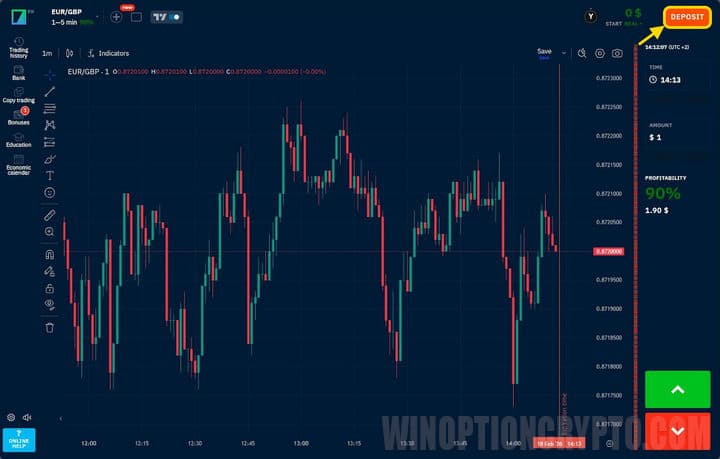
Deposits and withdrawals are processed through a dedicated section, which can be accessed by clicking the button in the upper right corner:
The new window displays all payment systems supported by the brokerage company:
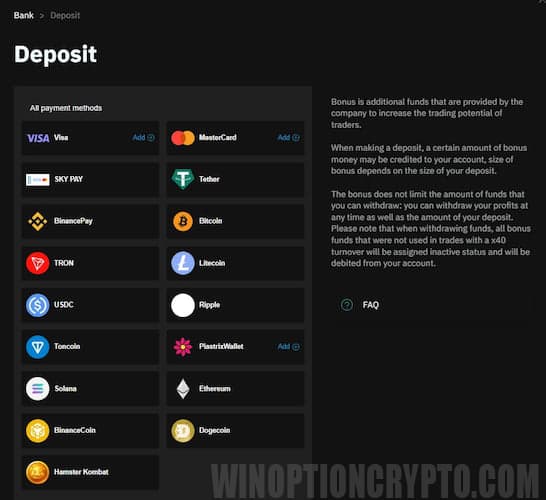
When you make your first deposit of $50 or more, you may receive a 50% trading bonus, which can be used for opening trades under the platform’s bonus terms. Deposits typically take a few seconds. However, delays may occur due to the specifics of your chosen payment system.
Earnings can be withdrawn in the same section. To withdraw profits, submit a request, specifying the transfer method and amount:
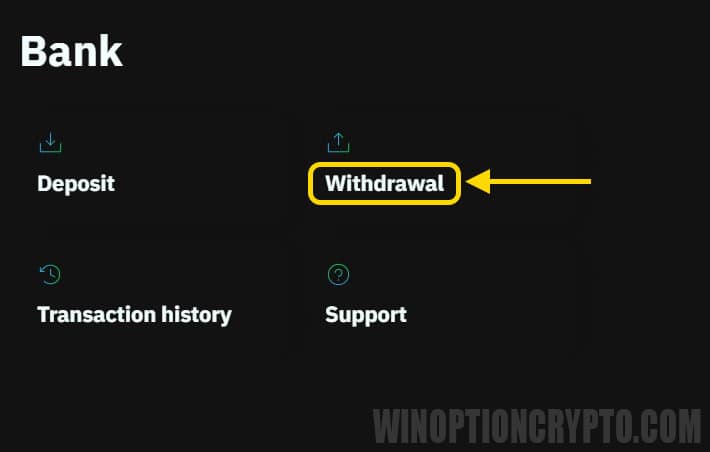
Binarium broker has a number of withdrawal restrictions, but they depend on your account type. The following restrictions apply to beginner accounts:
- one withdrawal request at a time;
- the minimum amount is 5 dollars, the maximum is 15 thousand;
- each application is processed within 24 hours and only on weekdays between 9:00 and 18:00;
- Only verified clients can request a withdrawal of funds.
Funds are transferred to the account of the payment system used for the initial balance top-up. Since each request is processed manually, this process can sometimes take up to two days. Transfer delays may be caused by the payment system or bank. If you encounter any difficulties in such circumstances, we recommend contacting customer support.
Please note: you must be verified to withdraw funds. This procedure is not required for trading. Unverified clients can deposit funds and make trades. However, they will not be able to withdraw funds from their deposit without this procedure. This requirement is related to compliance policies applied by brokerage companies.
To verify, you must provide the following information:
- Name;
- surname;
- date of birth;
- country of residence;
- phone number.
After this, you'll receive a phone number verification code. You'll then need to submit documents confirming your identity. For more information on how to do this, see the article "Verification with Binarium."
Conclusion
As you can see, registering with the binary options broker Binarium takes no more than five minutes. The company offers traders several options for registering a new account. Once logged in, you'll gain access to a trading platform with extensive functionality, educational materials, and other tools essential for binary options trading.
Before placing your first trade, it is recommended to review the user agreement, as many financial transactions are only available if certain conditions are met.
To leave a comment, you must register or log in to your account.