




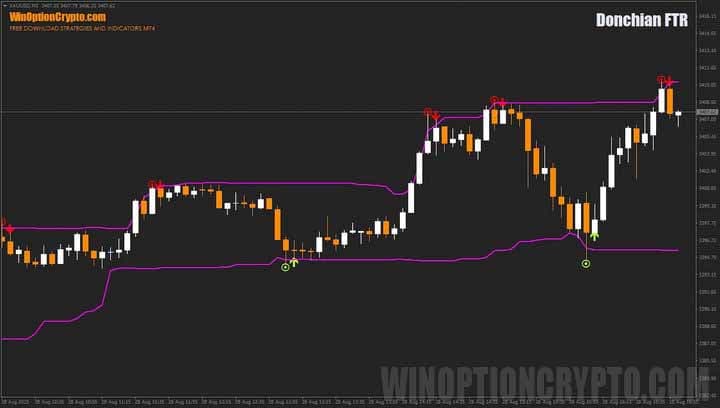
The Donchian FTR binary options indicator is a successful implementation of a popular trend-following technical analysis tool created by renowned trader Richard Donchian to assess volatility and potential breakout points. Unlike the classic indicator, which focuses on breaking through support and resistance levels in line with the trend, Donchian FTR binary options buy signals are generated when the price bounces off the channel boundaries. We'll explain how to use them correctly in this review.
Content:
- Characteristics
- Installation
- Overview and settings
- Donchian FTR Trading Rules
- Opening a Call Option
- Opening a Put Option
- Conclusion
Characteristics of the Donchian FTR Binary Options Indicator
- Terminal: MetaTrader 4
- Timeframe: M5
- Expiration: 3 candles
- Option Types: Call/Put
- Indicators: Donchian FTR .ex4
- Trading instruments: currency pairs, commodities, cryptocurrencies, stocks
- Trading hours: 8:00-20:00 (GMT+2)
- Recommended brokers: Quotex, Pocket Option, Alpari, Binarium
Installing the Donchian FTR Indicator for Binary Options
The Donchian FTR indicator is installed standardly on the MetaTrader 4 platform. To do this, add it to the terminal's root folder by selecting "File" in MetaTrader 4 and then "Open Data Folder." In the folder that opens, navigate to the "MQL4" folder, then "Indicators," and move all files there. Templates are installed in a similar manner, but placed in the "templates" folder. For more detailed installation instructions, watch our video:
Donchian FTR Binary Options Indicator Review and Settings
The Donchian FTR indicator consists of two main lines that form a price channel. Its upper boundary reflects the dynamic resistance level, while the lower boundary reflects the support level. While there are modifications of this tool that calculate average values, the Donchian FTR does not have this feature.
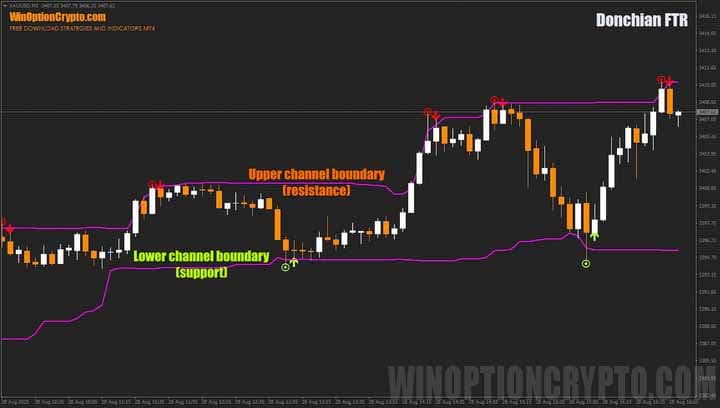
This indicator generates two types of trade opening signals: a preliminary signal, represented by a small circle with a dot, and a main signal, represented by an arrow. Call option buy signals are displayed in light green, while Put option buy signals are displayed in red, making Donchian FTR simple and convenient to use, even for beginners.
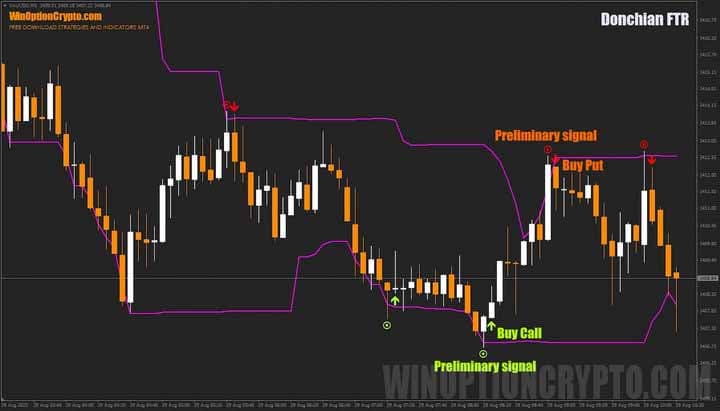
A pre-signal is convenient for trading: it gives the trader time to prepare. The bet size can be calculated in advance and the appropriate expiration time can be selected. If the pre-signal is confirmed, an arrow appears on the next candlestick, indicating the trade entry point. Thus, the trading process consists of two stages: preparation, when a circle with a dot forms on the chart (indicating the direction in which the arrow will appear), and entering the trade based on the arrow's signal. The indicator has few settings, and all of them are intuitive.
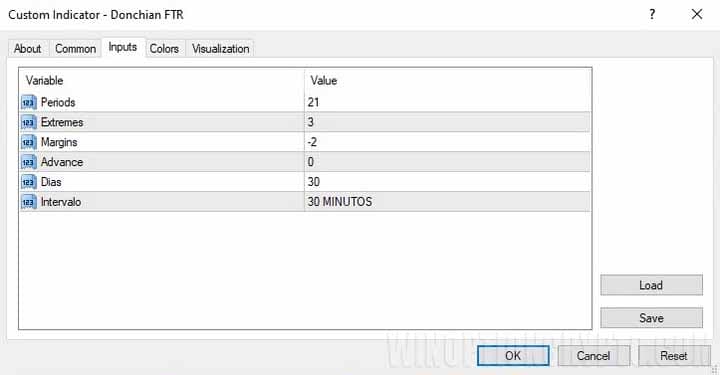
The user can set the calculation period, the number of bars that form extremes, offsets, and the time frame on which the calculations are performed.
Trading Rules for the Donchian FTR Binary Options Indicator
The Donchian FTR indicator combines everything needed for successful Forex and binary options trading. Its precise signals will impress traders. It's especially worth noting: no additional tools, filters, or confirmations are required to use the indicator — everything is already built in.
If you're interested in learning about the different types of trading signals and whether paid subscriptions are even worth considering, we recommend checking out our selection of articles on this topic:
- Is it worth buying binary options trading signals?
- Pocket Option Signals
- WinOptionSignals Signals Review
- Profitable signals for binary options
Regardless of which signals you use, be mindful of the risks. It's not recommended to use more than 2% of your capital per trade.
Opening a Call Option
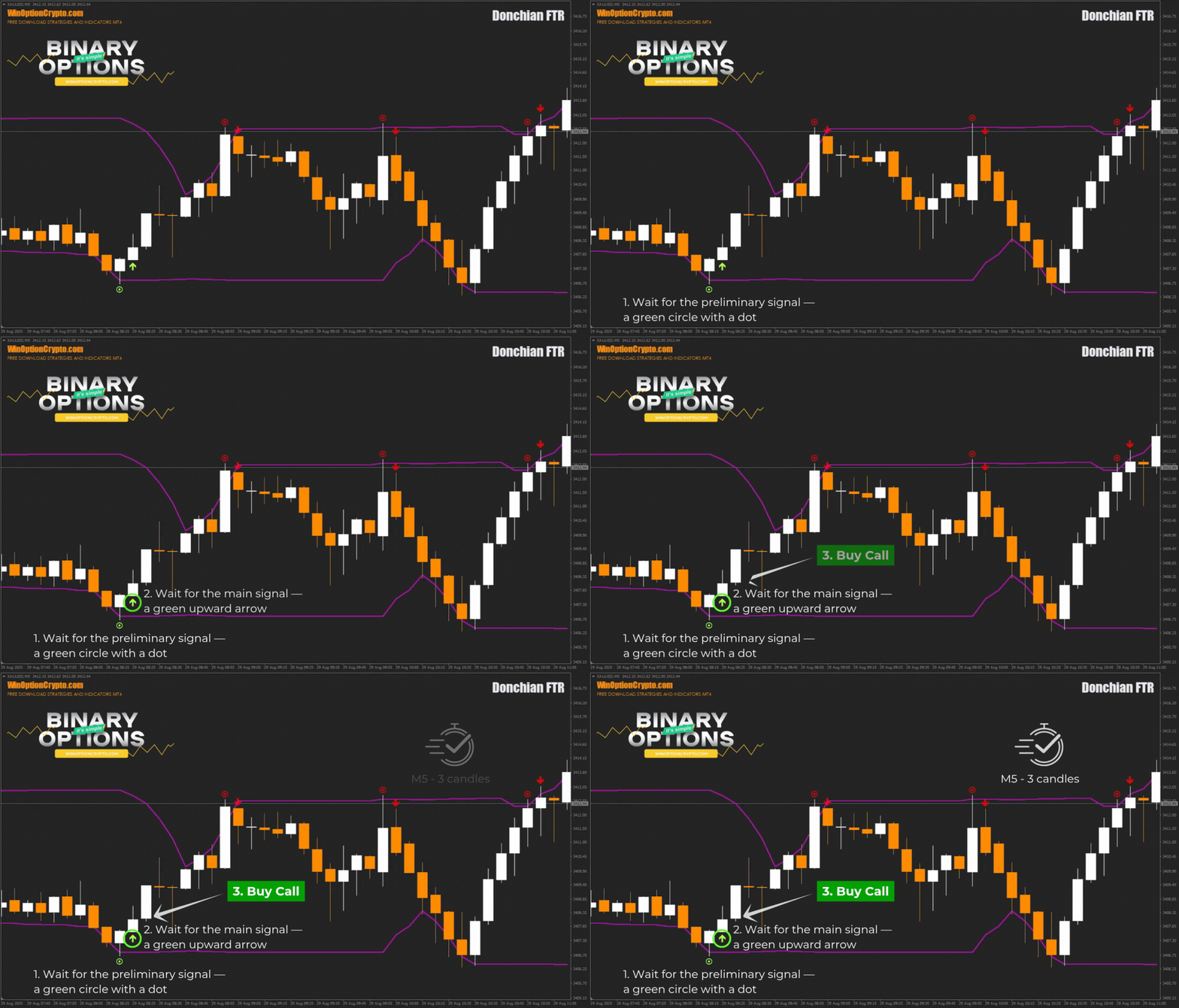
- We wait for the preliminary signal to appear - a green circle with a dot
- We wait for the main signal to appear - a green arrow pointing up
- At the opening of a new candle, we buy a Call option
Opening a Put Option
- We wait for the preliminary signal to appear - a red circle with a dot
- We wait for the main signal to appear - a red downward arrow
- At the opening of a new candle, we buy a Put option
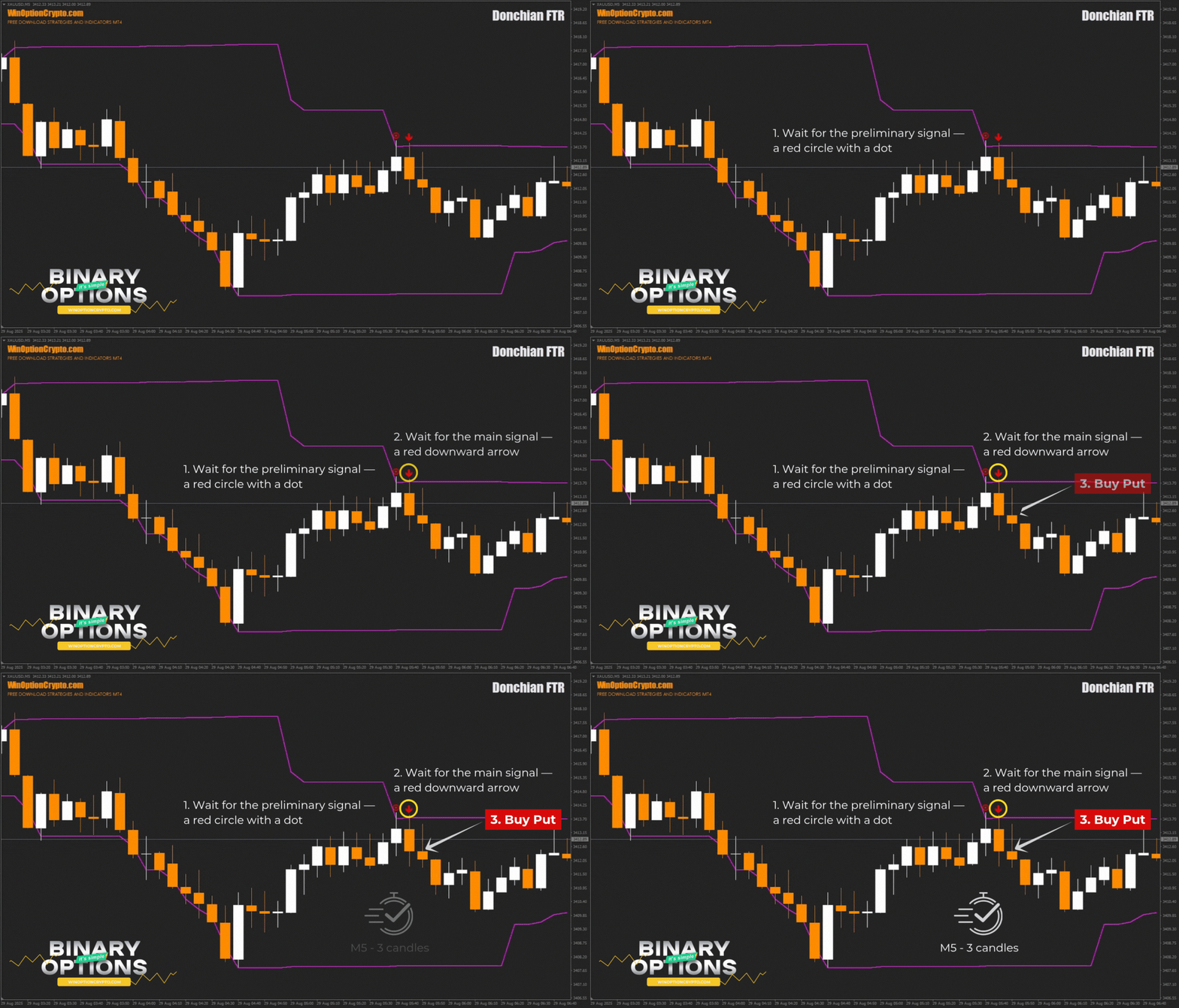
We recommend setting the expiration time to three candles. However, the optimal holding period depends on the specific asset and should be determined by you based on historical data testing results. This approach will help tailor the strategy to the specifics of the chosen instrument and improve its effectiveness.
Specifics of Using the Donchian FTR Indicator for Binary Options
Traders typically use the Donchian indicator to identify trends and trade breakouts. The Donchian FTR, on the other hand, takes the opposite approach: instead of trading breakouts of significant levels, it generates signals for rebounds from them. This is its key difference from Richard Donchian's classic indicator. Essentially, the Donchian FTR builds a strategy on false breakouts and is the complete opposite of traditional Donchian channels and the trend-following philosophy.
Advantages of the Donchian FTR Indicator
The indicator's main advantage is its high risk-reward ratio for the Forex market and a high percentage of profitable trades for binary options traders. This is explained by the fact that the stop-loss when the price returns to the channel is significantly smaller than the take-profit at the opposite boundary. Unlike the "standard" Donchian approach, trading on false breakouts can be particularly effective during flat trading , where prices spend most of their time.
Disadvantages of the Donchian FTR Indicator
The indicator's drawbacks include low trading frequency, especially in trending markets where false breakouts are rare. Therefore, when trading with Donchian FTR, you have to wait for signals for a while. To minimize this effect, it's worth considering trading multiple assets simultaneously.
Conclusion
The Donchian FTR binary options indicator is a multifunctional technical analysis tool based on the time-tested false-breakout trading approach. Its preliminary signals provide traders with the opportunity to prepare for a trade, which is very convenient.
However, before using Donchian FTR in real binary options trading, be sure to practice on a demo account with a reliable broker. Understand how the indicator works and only then proceed to real trades, keeping in mind risk and capital management rules. Happy trading!
Download the Donchian FTR Binary Options Indicator

To leave a comment, you must register or log in to your account.