




Most novice binary options traders make the same mistake: entering a trade just when the market has exhausted its potential and the price is about to reverse. The result is a series of losing trades, frustration, and the feeling that the market is working against you. The Stochastic Oscillator was specifically created to solve this problem. The indicator measures the speed and strength of price movement, identifies overbought and oversold zones, and signals a potential reversal in advance. This allows traders to enter a trade ahead of the market rather than chasing it.

On the Binarium platform, where each trade has a fixed expiration time and the entry price directly influences the outcome, the Stochastic Oscillator has become a sought-after tool in a binary options trader's arsenal. The indicator is easy to use and doesn't overload the chart with unnecessary information, generating signals that are equally understandable to both experienced traders and novices. In this article, we'll explore the rules of trading using the Stochastic Oscillator, which will help reduce emotional stress and improve the accuracy of trades on the Binarium platform.
Content:
- What is the advantage of the Stochastic Oscillator strategy?
- How to Use the Stochastic Oscillator Strategy on Binarium
- Conclusion
What Is the Advantage of the Stochastic Oscillator Strategy?
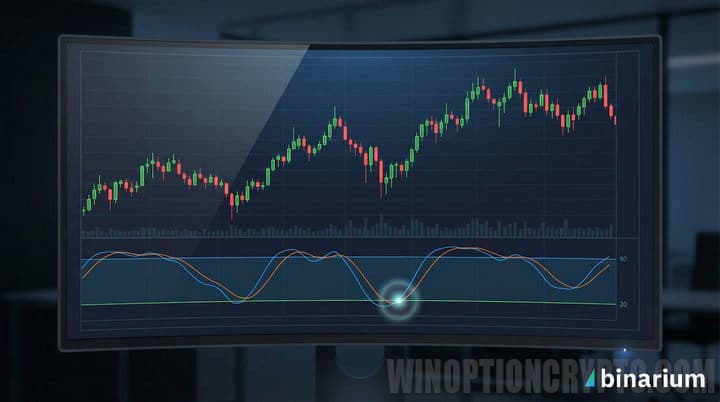
The main advantage of a strategy based on the Stochastic Oscillator is that it gives traders a clear and objective answer to the most important question: has the market exhausted its current movement or does it still have potential? The indicator operates in overbought and oversold zones, indicating moments when the price is likely preparing to reverse rather than continue moving in the same direction. This changes the trading logic: instead of guessing and acting on emotions, traders receive a specific trading signal and follow the rules.
This is especially relevant for Binarium platform users, as precise entry timing is critical, as a correctly identified reversal translates into a profitable trade rather than another loss of the deposit. Moreover, the strategy is equally accessible to both beginners just beginning to master technical analysis and experienced traders seeking a reliable and proven tool for systematic market trading.
How to Use the Stochastic Oscillator Strategy on Binarium
First of all, you need to install the Stochastic Oscillator indicator in the Binarium terminal.
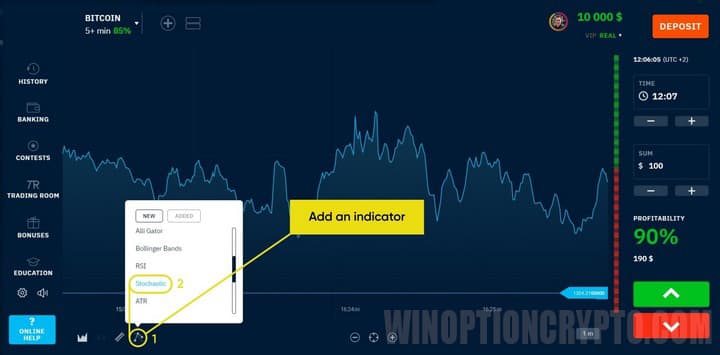
The Stochastic Oscillator binary options strategy is recommended for use during periods of low market volatility, when the price chart is moving within a narrow range. To achieve this, ensure that the market is not trending before trading.
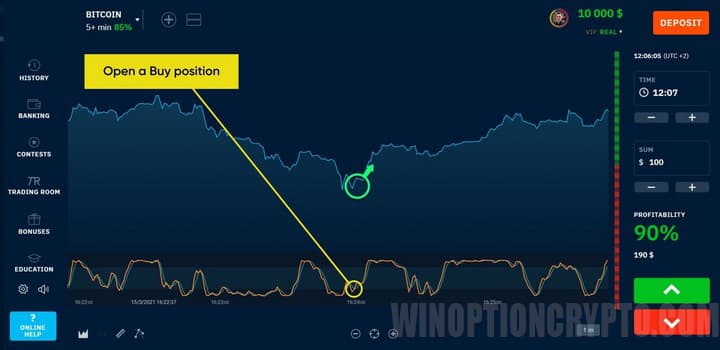
Trading using this method is based on signals generated when two indicator lines cross. If the blue, main line breaks the red, signal line, from the bottom up, Call options should be purchased.
Otherwise, when the main line crosses the signal line from top to bottom, Put options are opened.
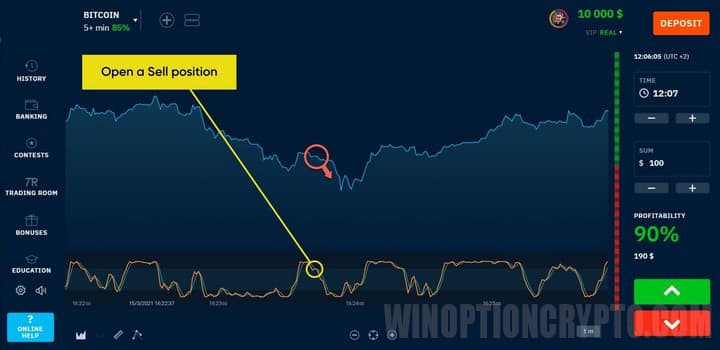
This method requires trading with an expiration time of 2–4 candlesticks. It is recommended to invest no more than 2% of the deposit per trade.
Conclusion
The Stochastic Oscillator indicator has earned a reputation as one of the most reliable technical analysis tools, and the strategy based on it for the Binarium binary options platform only confirms this. In this article, we've covered trading rules you can apply today.
All that's required now is to take the first practical step: register on the Binarium platform, open a demo account, and test the strategy under real market conditions without risking your own funds. Once you're satisfied with the demo results, fund your account and make your first real trade using this system you already know and understand. This is how casual attempts to make money turn into informed and consistent binary options trading.
Having trouble understanding how this strategy or indicator works? Let us know in the comments below, and subscribe to our WinOptionCrypto YouTube channel, where we'll be sure to answer all your questions in a video.
To leave a comment, you must register or log in to your account.