




The Super Arrow binary options indicator is probably one of the most controversial. Traders still debate its applicability in real trading. Some manage to make money despite the signals redrawing. Nevertheless, its "perfect" arrow signals continue to attract beginners. In this review, we'll examine how this tool works and explore its potential uses in binary options trading.
Content:
- Characteristics
- Installation
- Overview and settings
- Super Arrow Trading Rules
- Opening a Call Option
- Opening a Put Option
- Conclusion
Super Arrow Binary Options Indicator Characteristics
- Terminal: MetaTrader 4
- Timeframe: M5
- Expiration: 1 candle
- Option Types: Call/Put
- Indicators: super-arrow-indicator.ex4
- Trading instruments: currency pairs, commodities, cryptocurrencies, stocks
- Trading hours: 8:00-20:00 (GMT+2)
- Recommended brokers: Quotex, Pocket Option, Alpari, Binarium
Installing the Super Arrow Binary Options Indicator
The Super Arrow indicator is installed standardly on the MetaTrader 4 platform. To do this, add it to the terminal's root folder by selecting "File" in MetaTrader 4 and then "Open Data Folder." In the folder that opens, navigate to the "MQL4" folder, then "Indicators," and move all files there. Templates are installed in a similar manner, but placed in the "templates" folder. For more detailed installation instructions, watch our video:
Super Arrow Binary Options Indicator Review and Settings
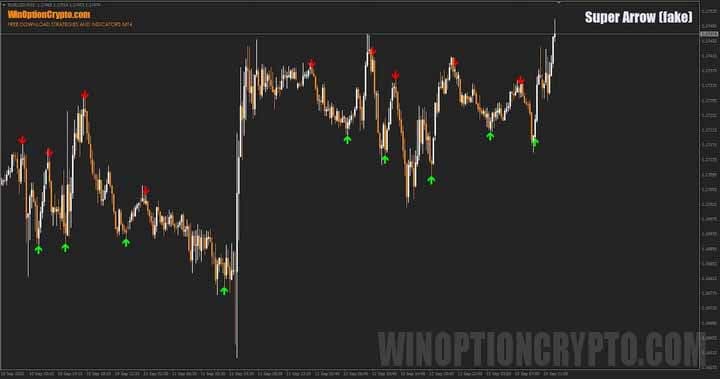
At first glance, the Super Arrow appears to be the perfect arrow indicator. Its trading signals seem to pinpoint future price reversals with precision. Sometimes it even seems to predict the market. See for yourself.
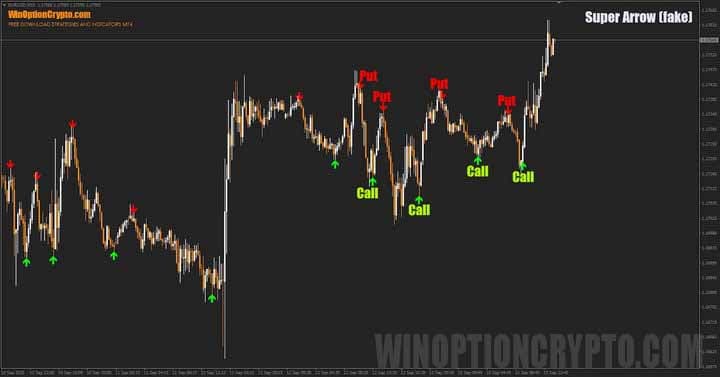
Notice how accurately the Super Arrow indicator's arrows mark trading signals on the EURUSD chart. But to understand how it works, you first need to understand its settings.
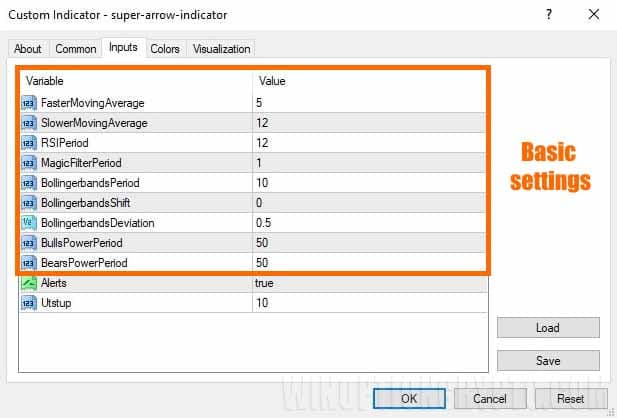
As you can see in the image above, Super Arrow generates arrow signals based on several indicators: fast and slow moving averages, RSI, Magic filter, Bollinger bands and Bulls and Bears Power indicator.
Green arrows appear when there is a divergence between the fast and slow moving averages, the RSI bounces off overbought/oversold levels, the Magic filter is >= 0, and the candle closes below the lower boundary of the Bollinger Bands. The rules are reversed for red arrows.
It would seem simple: wait for the arrow and open a Call or Put in the indicated direction. However, a closer look at the code reveals that Super Arrow changes its signals: when calculating, it looks into the future. Simply put, the indicator behaves "as if the future is already known."
The code includes signal checks not only on the current bar N, but also on the next bar N+1, which doesn't yet exist at the time the signal is generated. In real trading, such a signal may appear only after one candle—or disappear entirely if the condition isn't confirmed. This is the key feature of a "history reader": it draws pretty arrows retroactively.
Therefore, the original version of the indicator is not suitable for real trading. To prove this, we'll fix the errors in the code and see how the trading signals change after making these changes.
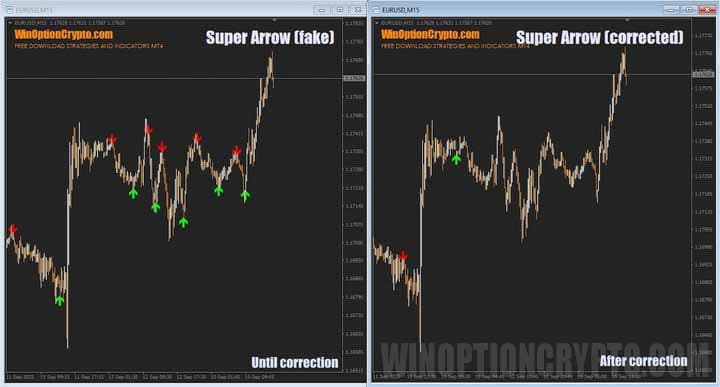
As you can see, after correcting the code, trading signals became noticeably fewer. Moreover, they began appearing at points where trades in the opposite direction should actually be opened. We checked the indicator's logic — there are no errors in the code, meaning these are exactly the arrows a trader would see when attempting to trade using this "mega-indicator" in real time.
Well, let's deploy these signals and see what happens.
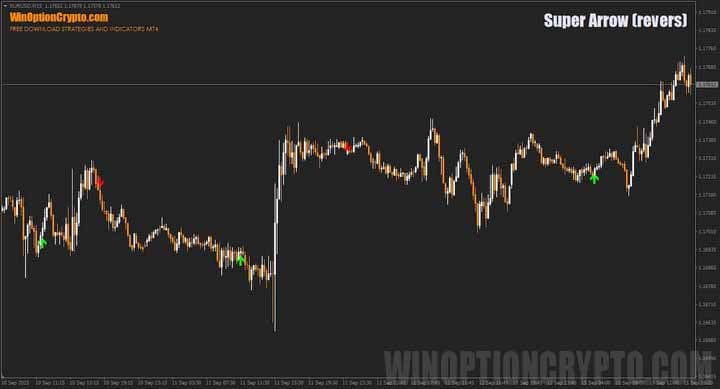
The result was quite satisfactory. While the arrows may no longer look as "perfect" as in the fake version, they now don't repaint and are truly suitable for trading – both binary options and Forex.
Trading Rules for the Super Arrow Binary Options Indicator
After all the code corrections and refinements, it's time to move on to the trading rules. Like most arrow indicators, they remain as simple as possible. And if you're interested in which tools truly don't redraw their signals, we recommend checking out our collection of articles on the topic.
Opening a Call Option
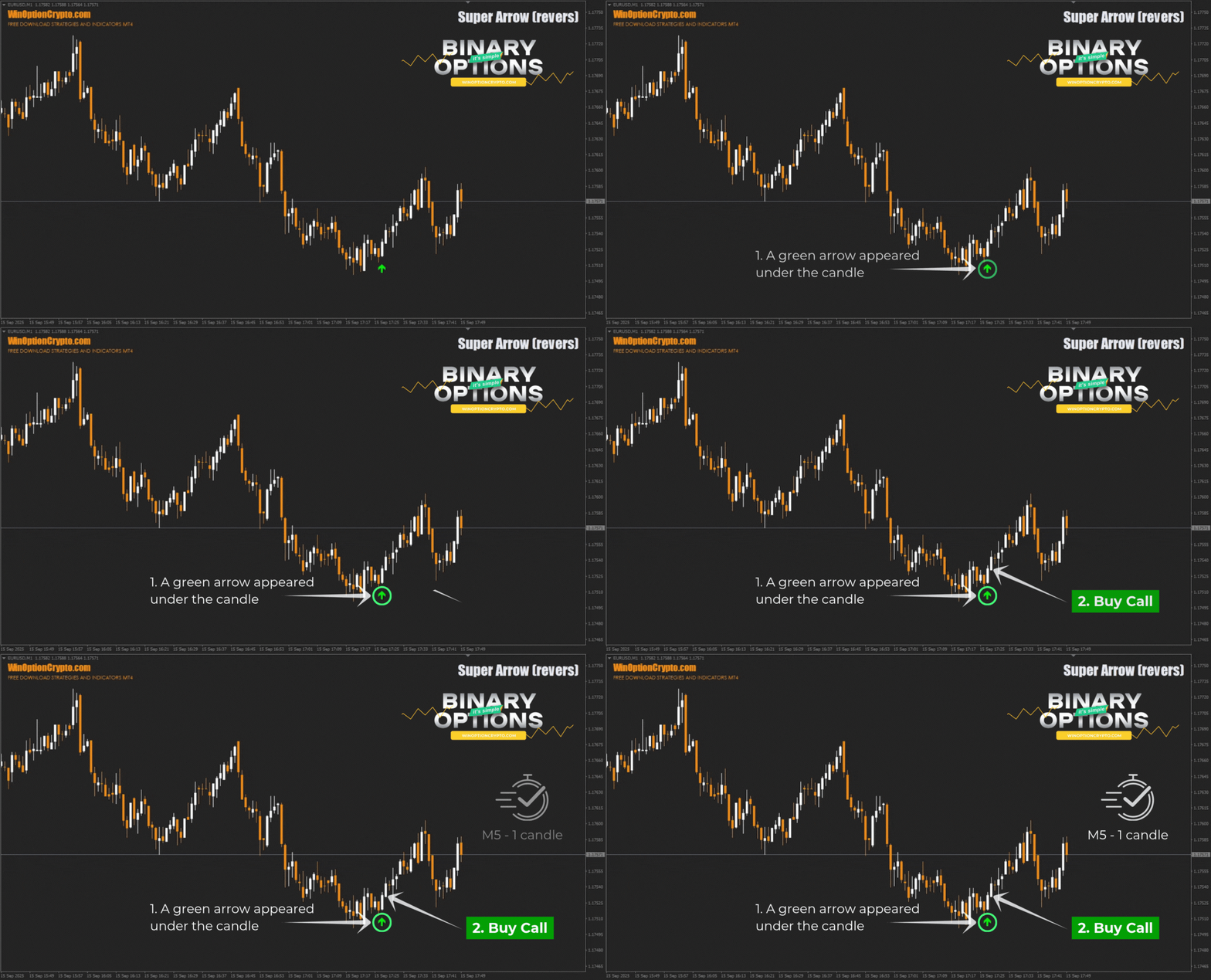
- We wait for a green arrow to appear under the candle.
- At the opening of a new candle, we buy a Call option
Opening a Put Option
- We wait for the red arrow to appear above the candle.
- At the opening of a new candle, we buy a Put option
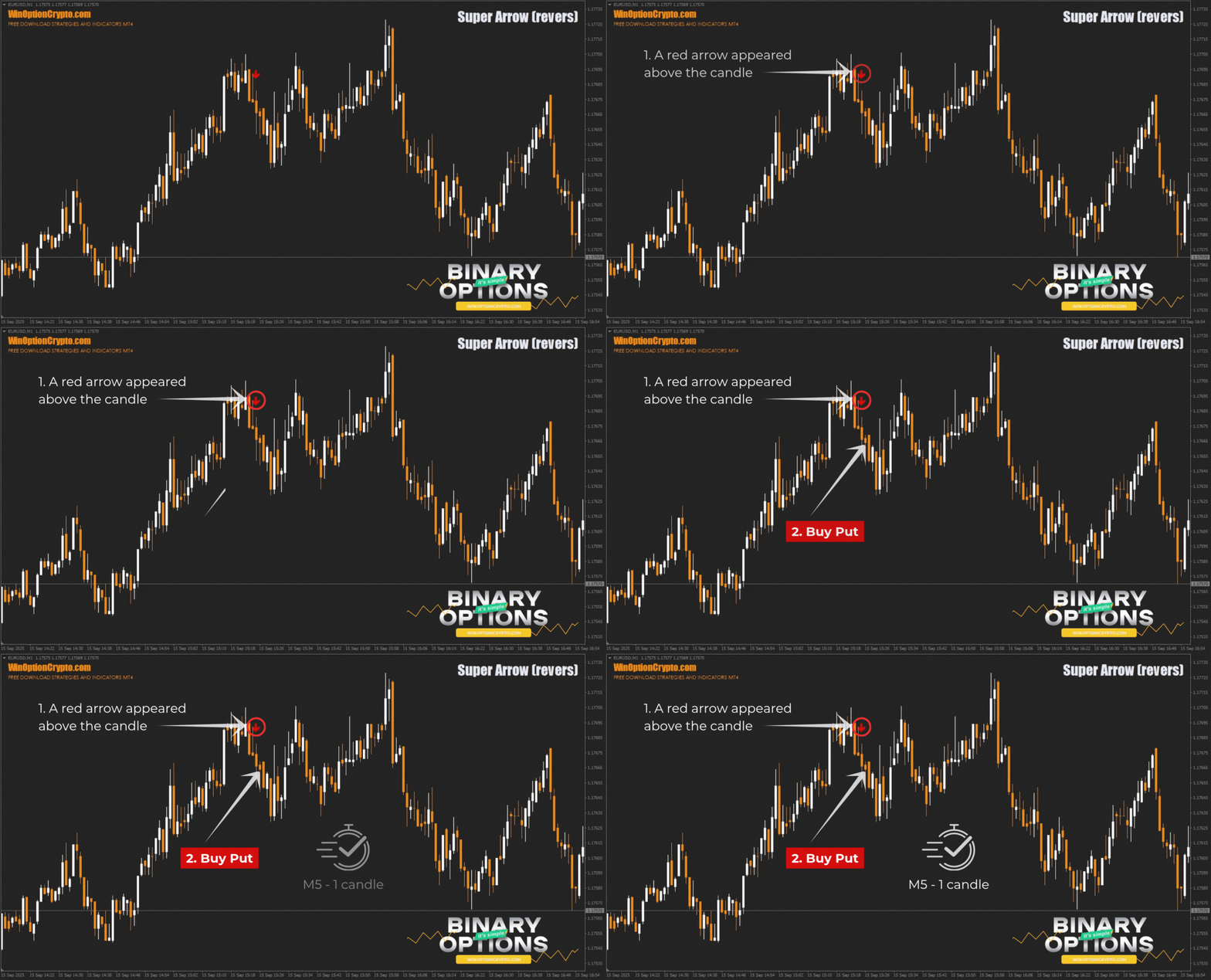
We recommend setting the expiration time to five candles. However, the optimal holding period depends on the specific asset and should be determined by you based on historical data testing results. This approach will help tailor the strategy to the specifics of the chosen instrument and improve its effectiveness.
Specifics of Using the Super Arrow Indicator for Binary Options
To increase the percentage of profitable trades when trading with this indicator's signals, you can use a proven method: opening trades in the direction of higher timeframes. This approach has proven its effectiveness time and again and can be useful for Super Arrow signals.
For example, trades using arrows on the M5 timeframe can only be opened in the direction of the M30 trend. If you're unsure how to identify trends, the article " Best Trend Indicators for Binary Options " will help.
Advantages of the Super Arrow Indicator
The advantages of this indicator include its simplicity and clear trading signals. Traders don't need to analyze numerous technical indicators or conduct technical analysis of the asset themselves, as Super Arrow takes into account several standard tools when generating arrows: moving averages, RSI, Bollinger Bands, and the Bulls and Bears Power indicator.
Cons of the Super Arrow Indicator
The main drawback of arrow indicators is "redrawing" — the ability to cancel a previously generated signal, which makes most such tools practically useless in real trading. The most dangerous thing is that such an indicator may show perfect results when backtested, but prove ineffective in real trading.
We spent time fixing this flaw in the Super Arrow. Now its signals, while less "pretty," are much more reliable.
Conclusion
The Super Arrow binary options indicator, in its original form, is completely unsuitable for real trading and is a PR stunt by unscrupulous developers who decided to profit from selling embellished trading signals that have nothing to do with reality.
After making some changes to the tool's code, we were able to eliminate its main drawback — redrawing — and obtain a less "pretty" but still functional version of the arrow indicator.
Before using Super Arrow in real binary options trading, be sure to practice on a demo account with a reliable broker. Understand how the indicator works before moving on to real trades, keeping risk and capital management principles in mind. Happy trading!
Download the Super Arrow Binary Options Indicator

To leave a comment, you must register or log in to your account.