




The Relative Momentum Index indicator for binary options is much less well-known in trading circles than its famous "relative," the Relative Strength Index (RSI). However, it deserves attention because it possesses a property lacking in most oscillators: it does not generate false signals during strong and persistent trends. We'll discuss how to use it in binary options trading in this review.
Content:
- Characteristics
- Installation
- Overview and settings
- Relative Momentum Index Trading Rules
- Opening a Call Option
- Opening a Put Option
- Conclusion
Characteristics of the Relative Momentum Index Indicator for Binary Options
- Terminal: MetaTrader 4
- Timeframe: M5
- Expiration: 3 candles
- Option Types: Call/Put
- Indicators: relative-momentum-index-mtf-rmi.ex4
- Trading instruments: currency pairs, commodities, cryptocurrencies, stocks
- Trading hours: 8:00-20:00 (GMT+2)
- Recommended brokers: Quotex, Pocket Option, Alpari, Binarium
Installing the Relative Momentum Index Indicator for Binary Options
The Relative Momentum Index indicator is installed standardly on the MetaTrader 4 platform. To do this, add it to the terminal's root folder by selecting "File" in MetaTrader 4 and then "Open Data Folder." In the folder that opens, navigate to the "MQL4" folder, then "Indicators," and move all files there. Templates are installed in a similar manner, but placed in the "templates" folder. For more detailed installation instructions, watch our video:
Review and Settings of the Relative Momentum Index Indicator for Binary Options
The RMI indicator was developed by Roger Altman, a renowned American financier who served twice as Deputy Secretary of the Treasury under Presidents Jimmy Carter and Bill Clinton. He first presented the indicator in 1993 in the authoritative journal Technical Analysis of Stocks and Commodities.
The main goal of creating the RMI was to address the main drawback of most oscillators, including the RSI: their tendency to generate false signals during a trend. To understand how the Relative Momentum Index works, it's important to first understand how the RSI works. This indicator compares the closing price of the current candlestick with the closing price of the previous one, showing gains or losses within the selected timeframe.
The RMI is structured differently: it compares the current closing price to the closing price N periods ago. The N parameter is adjustable and is often referred to by traders as "momentum."
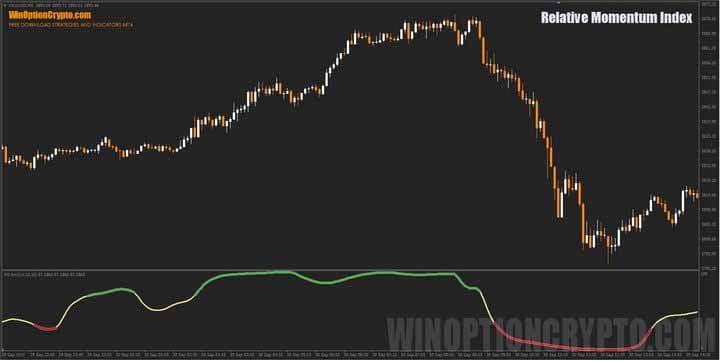
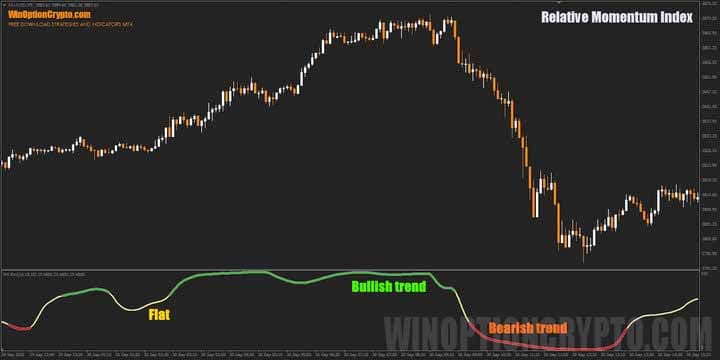
On the chart, the indicator is located at the bottom of the screen, like most oscillators. It is a solid line that changes color depending on the market situation: yellow signals a neutral phase, green a bullish market, and red a bearish market.
Altman's innovation, therefore, is to measure not price fluctuations over a single bar, but rather the broader momentum of market movement over a given time interval. This approach effectively filters out market noise and preserves the signal even during a strong trend.

Like the RSI, the Relative Momentum Index shows overbought and oversold zones. However, unlike the RSI, entering these zones does not signal an imminent price reversal; instead, it indicates a likely continuation of the current trend.
The tool has few settings, and the main ones are shown in the image below.
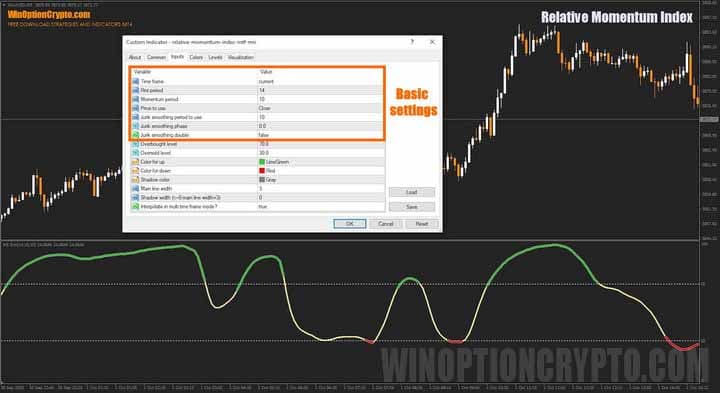
The user can select the timeframe for calculations, set the RMI and momentum periods, determine the price type used in calculations, and specify the period for the Jurik smoothing indicator. Additionally, appearance settings are available, as is the ability to enable value interpolation when using a timeframe other than the current one.
As you can see, setting up this technical analysis tool is quite simple. If you'd like to delve deeper into technical analysis, we recommend reading this collection of articles on the topic:
- Technical analysis of binary options
- Technical analysis of cryptocurrencies
- Autochartist: Technical Analysis on the Go
- D. Murphy's book "Intermarket Technical Analysis"
Rules for Trading Using the Relative Momentum Index Indicator for Binary Options
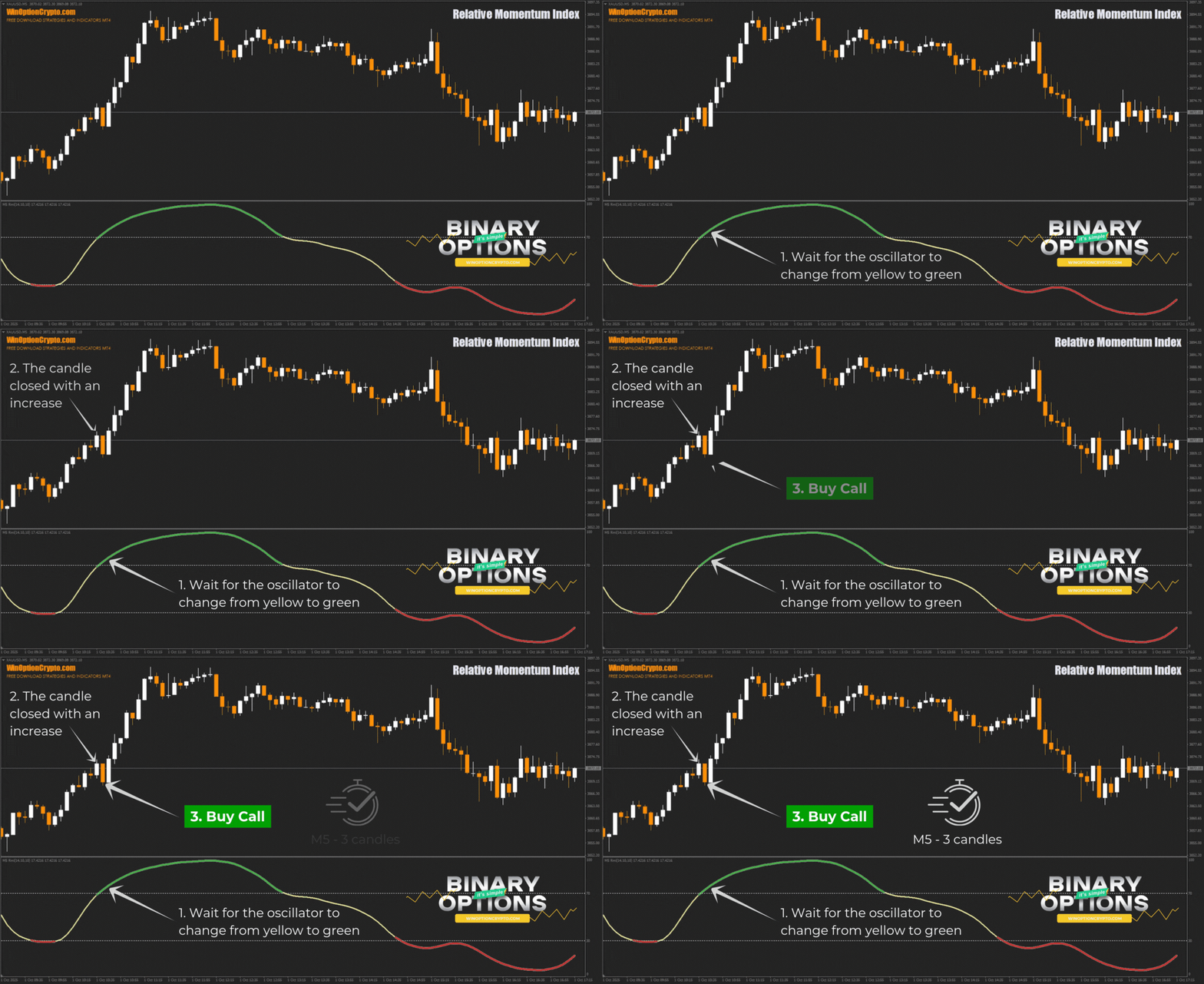
To trade using the RMI indicator signals, simply follow a few simple rules: wait for the oscillator to change color from neutral yellow to green or red and open a position when the candle closes in the same direction.
Opening a Call Option
- We are waiting for the oscillator to change from yellow to green.
- We make sure that the candle closed with an increase
- At the opening of a new interval, we buy a Call option
Opening a Put Option
- We are waiting for the oscillator to change from yellow to red.
- We make sure that the candle closed lower.
- At the opening of a new interval, we buy a Put option
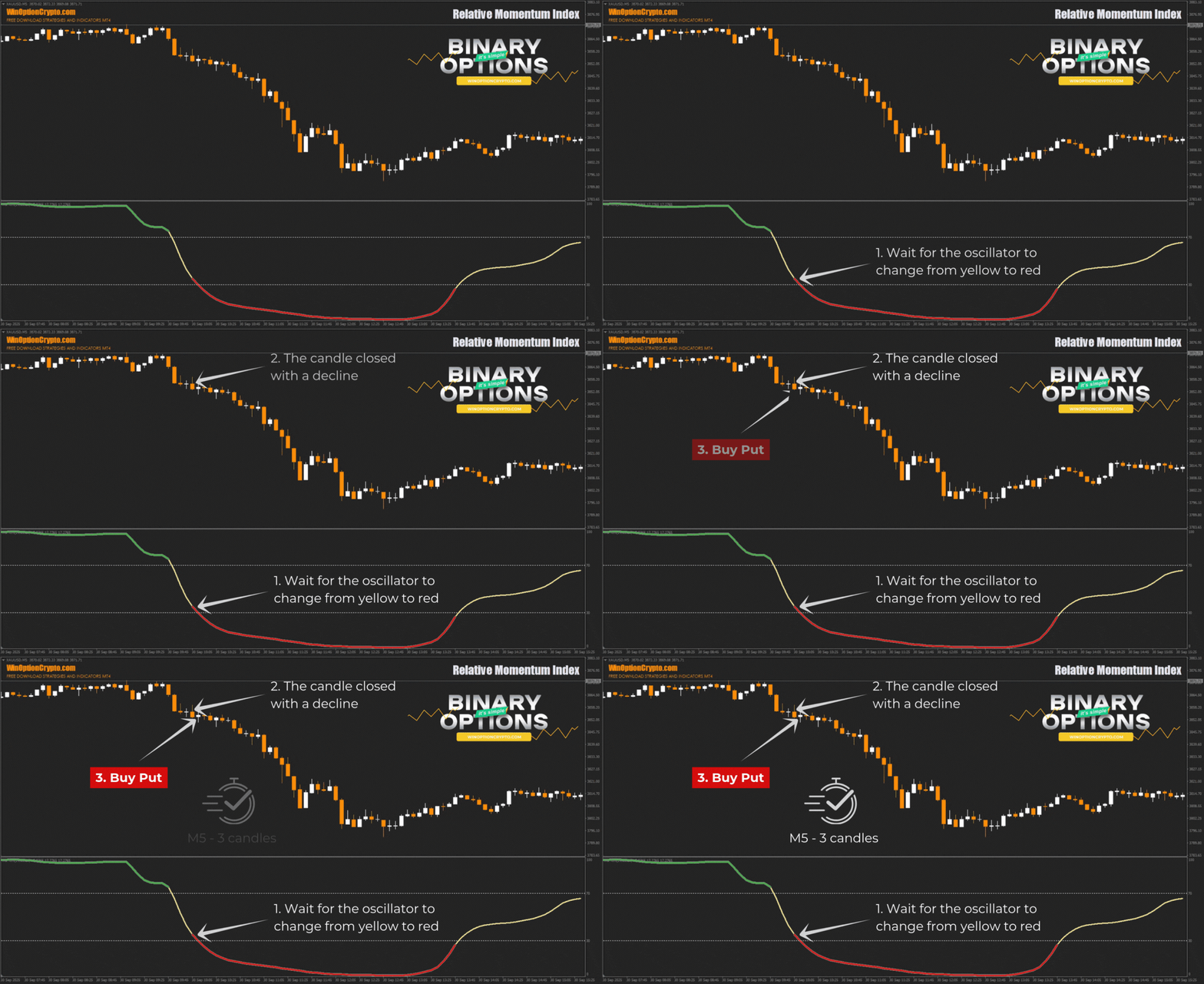
We recommend setting the expiration time to three candles. However, the optimal holding period depends on the specific asset and should be determined by you based on historical data testing results. This approach will help tailor the strategy to the specifics of the chosen instrument and improve its effectiveness.
Specifics of Using the Relative Momentum Index Indicator for Binary Options
The RMI indicator's calculation method makes its signals smoother and, therefore, more reliable. This makes its values less susceptible to market noise. Traders can leverage this advantage in their strategies, achieving a more accurate assessment of long-term trend momentum.
Advantages of the Relative Momentum Index
Thanks to improved market noise filtering, the RMI indicator provides more reliable trend signals than most oscillators. Its calculations take into account price changes over a period of N, not just between adjacent bars, making it less sensitive to minor fluctuations.
Disadvantages of the Relative Momentum Index
The obvious drawbacks of this moving average - based indicator include a delay in trading signals. Because of this, it may react later than the RSI during sharp market reversals, leading to delayed trade openings. Furthermore, false signals are possible during trend reversals and transitions from strong momentum to flat trading.
Conclusion
The Relative Momentum Index indicator for binary options helps find good entry points. However, for consistent, profitable trading, its signals are recommended to be combined with trend indicators, such as moving averages or support and resistance levels.
In any case, before using RMI for real trading, be sure to practice on a demo account with a reliable broker. Understand how the indicator works and strictly adhere to all rules, keeping risk and capital management in mind. Happy trading!
Download the Relative Momentum Index Binary Options Indicator

To leave a comment, you must register or log in to your account.